

How to Plan and Follow Sat-Nav Directions Accurately: Your Essential Guide for Confident Driving
Using a sat nav correctly makes the difference between reaching your destination smoothly and taking unnecessary detours. Many drivers simply punch in an address and hope for the best, but there’s actually a smart approach to planning and following directions that keeps you safe and on track.

Setting up your route properly before you start driving, positioning your device correctly, and learning to interpret voice commands whilst staying focused on the road are the essential skills for accurate sat nav navigation. These techniques help you avoid the common mistakes that lead to missed turns, dangerous last-minute lane changes, and that frustrating feeling of being completely lost.
Whether you’re preparing for your driving test or want to feel more confident navigating to new places, mastering these skills transforms your sat nav from a sometimes-helpful gadget into a reliable travel companion. We’ll walk you through everything from choosing the best route settings to handling those moments when technology doesn’t quite match reality.
Key Takeaways
- Plan your route and position your sat nav correctly before starting your engine to avoid dangerous distractions
- Listen to voice instructions rather than constantly watching the screen to keep your focus on the road
- Always use common sense and follow road signs when sat nav directions conflict with traffic rules or road conditions
Understanding Sat Nav Technology
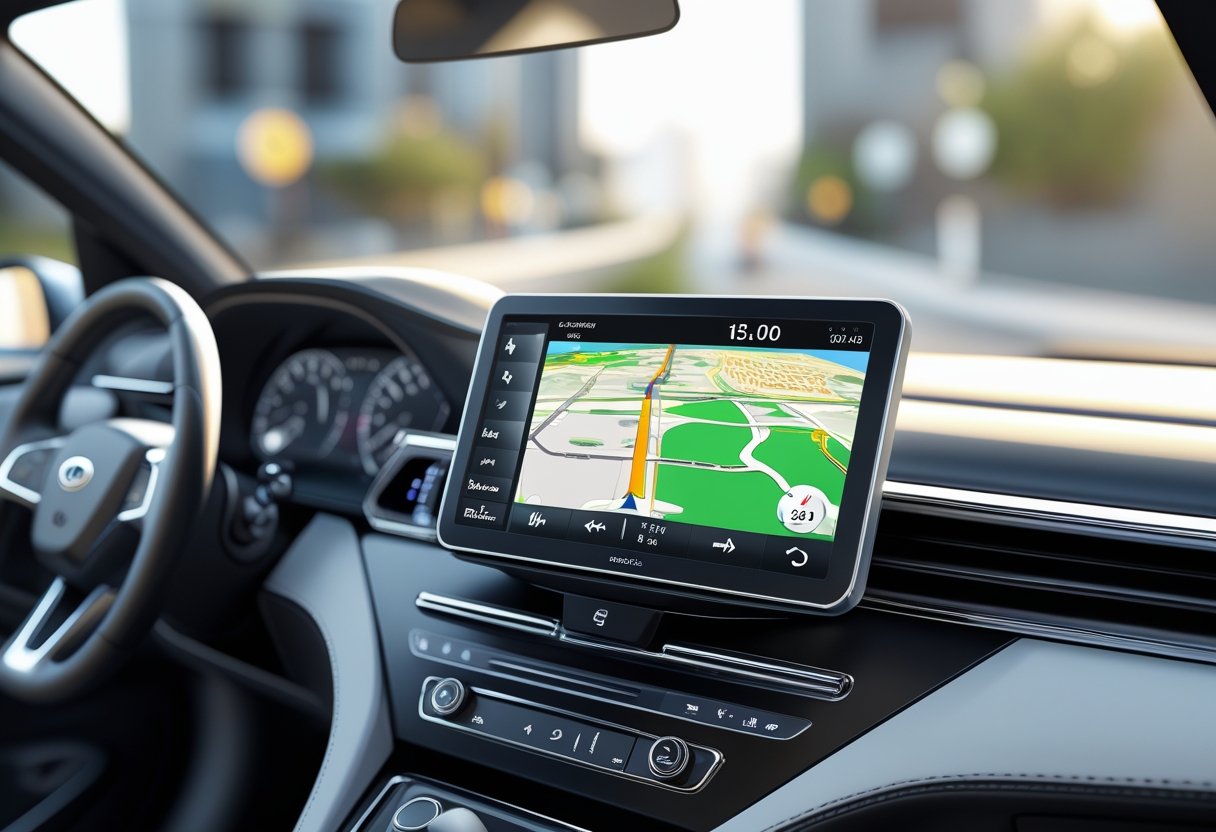
Modern satellite navigation systems have transformed the way we drive, using GPS signals and advanced mapping data to guide us accurately from point A to point B. These clever devices combine space-age technology with user-friendly interfaces to make navigation straightforward for drivers of all experience levels.
What Is a Sat Nav and How Does It Work?
A sat nav, short for satellite navigation, is your digital co-pilot that provides voice-guided directions to help you reach your destination safely and efficiently. Whether it’s a dedicated device mounted on your dashboard or an app on your smartphone, this technology has become an essential driving companion for millions of us.
The magic happens when your sat nav receives signals from multiple satellites orbiting Earth. These signals contain precise timing information that allows the device to calculate your exact position using a process called trilateration.
Once your sat nav knows where you are, it accesses detailed digital maps stored in its memory or downloaded from the internet. The system then calculates the best route to your chosen destination, taking into account factors like:
- Current traffic conditions
- Road closures and construction
- Your preferred route type (fastest, shortest, or avoiding tolls)
- Vehicle restrictions and speed limits
Real-time updates keep your journey on track. Modern sat navs constantly communicate with traffic management systems to suggest alternative routes when delays occur ahead.
How GPS Powers Your Journey
GPS, which stands for Global Positioning System, forms the backbone of your sat nav’s remarkable abilities. This network of 24 satellites circles our planet twice daily, transmitting precise time and location data back to Earth.
Your sat nav needs signals from at least four satellites to determine your position accurately. The more satellites it can connect to, the more precise your location becomes. This is why you might notice your sat nav takes a moment to “find satellites” when you first switch it on, especially if you’re starting from an enclosed area like a garage.
The beauty of GPS lies in its incredible precision. Under normal conditions, your sat nav can pinpoint your location to within three to five metres. This accuracy means you’ll receive turn-by-turn directions at exactly the right moment, whether you’re navigating busy city streets or winding country lanes.
Weather and terrain can occasionally affect GPS signals. Thick cloud cover, tall buildings, or deep valleys might temporarily reduce accuracy, but modern receivers are remarkably good at maintaining a strong connection even in challenging conditions.
Advantages of Modern Navigation Systems
Today’s sat nav technology offers compelling benefits that make driving less stressful and more enjoyable for learners and experienced drivers alike. These systems have evolved far beyond simple direction-giving to become comprehensive travel assistants.
Confidence-building features help new drivers feel more secure behind the wheel. Clear visual displays show upcoming turns well in advance, whilst spoken instructions let you keep your eyes on the road. Lane guidance ensures you’re positioned correctly for motorway junctions and complex roundabouts.
Modern sat navs also provide valuable safety information. Speed limit displays help you stay legal, whilst alerts for speed cameras encourage responsible driving habits. Many systems warn you about sharp bends, school zones, or accident black spots ahead.
The convenience factor can’t be overstated. Real-time traffic updates automatically reroute you around congestion, potentially saving hours on longer journeys. Points of interest databases help you find nearby petrol stations, restaurants, or parking when you need them most.
Cost savings add up quickly too. By choosing the most efficient routes and avoiding traffic jams, you’ll use less fuel and reduce wear on your vehicle. For new drivers especially, this technology removes much of the anxiety associated with navigating unfamiliar areas.
Setting Up Your Sat Nav for Success

Getting your sat nav properly set up before you hit the road makes all the difference between a smooth journey and a stressful one. We’ll walk you through choosing the right device, positioning it safely in your car, and making sure you’re following all the legal requirements.
Choosing the Right Sat Nav Device or App
Your first decision involves picking between a dedicated sat nav device like a TomTom or using your smartphone with an app like Google Maps or Waze. Each option has its own benefits that suit different driving styles.
Dedicated devices excel in reliability and battery life. They’re built specifically for navigation, so you won’t lose your directions if someone calls or texts you. TomTom devices, for instance, offer excellent map updates and clear voice instructions that many drivers find easier to follow than phone apps.
Smartphone apps shine in these areas:
- Real-time traffic updates
- No additional device to purchase
- Always up-to-date maps
- Easy address importing from contacts
Consider your typical driving patterns when choosing. If you mainly drive familiar routes with occasional longer trips, a smartphone app might serve you perfectly. For frequent long-distance driving or if you prefer a dedicated device that won’t drain your phone battery, investing in a proper sat nav makes sense.
Battery life matters more than you might think. Smartphone apps can drain your battery quickly, especially on longer journeys. Always bring a car charger regardless of which option you choose.
Positioning Your Sat Nav Safely
Where you place your sat nav can make or break your driving experience. We need to find that sweet spot where you can glance at it quickly without taking your attention away from the road for too long.
The best positions include:
- Bottom right corner of your windscreen
- Dashboard mount within easy view
- Built into your car’s existing display system
Your sat nav should sit where your eyes can flick to it naturally without turning your head. Think of it like checking your mirrors, you want that quick glance to become second nature.
Avoid placing it anywhere that blocks your view of traffic lights, road signs, or pedestrians. The centre of your windscreen might seem logical, but it creates dangerous blind spots.
Mount security is crucial too. A wobbly sat nav that falls off mid-journey isn’t just annoying, it’s potentially dangerous. Invest in a quality suction cup mount or dashboard holder that keeps your device steady even on bumpy roads.
Test your setup before setting off. Sit in your driving position and check you can see the screen clearly without straining. If you find yourself leaning forward or squinting, adjust the position or angle.
Ensuring Legal Compliance and Visibility
The Highway Code sets clear rules about sat nav use that we must follow to stay safe and avoid penalties. Understanding these requirements protects you from fines and, more importantly, keeps everyone on the road safer.
Legal positioning requirements state:
- Your device cannot obstruct your view of the road
- It must be hands-free during driving
- You cannot hold or manually operate it while driving
Programming your sat nav while driving is illegal and carries a £200 fine plus six penalty points on your licence. Always input your destination before starting your engine or pull over safely if you need to make changes.
Your device must not block your view of:
- Traffic lights and road signs
- Other vehicles, especially at junctions
- Pedestrians and cyclists
- Emergency vehicles
The bottom portion of your windscreen typically offers the safest legal positioning. This area rarely interferes with your essential field of vision while keeping the screen within easy sight.
Voice commands offer the safest way to interact with your sat nav while driving. Many modern devices and apps respond to spoken instructions, letting you request route changes or find petrol stations without touching the screen.
Remember that being legal isn’t always the same as being safe. Even if your sat nav placement meets legal requirements, if it distracts you from driving, reposition it or rely more heavily on voice instructions.
Planning Your Route with Precision
Getting your route sorted before you start driving saves time and reduces stress behind the wheel. We’ll look at how to enter destinations properly, pick the best route options for your needs, and handle special considerations like toll roads.
Inputting Destinations Accurately
The way you enter your destination makes all the difference to your journey. Most sat nav systems work best with full postcodes rather than just street names or partial addresses.
When typing in addresses, always include the house number first, then the street name. For businesses or landmarks, search using the official name exactly as it appears online.
Double-check your destination on the map before starting. Zoom in to make sure the pin sits exactly where you want to go, not just somewhere nearby on the same street.
Common input mistakes to avoid:
- Using abbreviated street names
- Missing out house numbers
- Relying on business names that might have changed
- Not verifying the final location on screen
Some sat navs let you save frequent destinations like home, work, or your driving instructor’s office. Setting these up properly once saves time later and reduces the chance of errors when you’re rushing.
If you’re heading somewhere tricky like a shopping centre or hospital, look for specific car park postcodes. These often work better than main building addresses.
Selecting Route Preferences and Waypoints
Your sat nav usually offers several route choices, each with different benefits. The fastest route prioritises time over distance, whilst the shortest route focuses on covering fewer miles.
Most systems show three main options: fastest, shortest, and most fuel-efficient. Take a moment to compare the time and distance differences between each one.
Route preference settings include:
- Motorways: Enable or disable depending on your confidence level
- Ferries: Useful for coastal areas but adds time
- Unpaved roads: Best avoided for learner drivers
Adding waypoints lets you stop at specific places during longer journeys. This works brilliantly for picking up passengers or making quick stops without losing your main route.
You can usually drag the route line on your screen to avoid particular areas. This helps if you know certain roads get busy at specific times.
Some sat navs learn your preferences over time. They start suggesting routes that match your typical driving choices, making future planning even easier.
Considering Toll Roads and Special Routes
Toll roads can speed up your journey but cost extra money. Your sat nav should give you the option to avoid them completely or show routes that include them with cost estimates.
The Dartford Crossing and some motorway sections charge fees. Check your route overview to spot these before you start driving, so you’re not caught off guard.
Special route considerations:
- Bus lanes: Some sat navs factor in restricted access times
- Congestion zones: Important for city driving
- Low emission zones: Affects certain vehicle types
- School zones: May have time-based restrictions
Many sat navs now include real-time traffic updates. These can automatically reroute you around accidents or heavy congestion, even after you’ve started driving.
For driving test routes, your instructor might want to avoid toll roads entirely. Make sure your preferences reflect this during lessons and practice sessions.
Weight and height restrictions matter too, though this affects larger vehicles more than typical learner cars. Your sat nav should handle these automatically based on your vehicle settings.
Interpreting Sat Nav Instructions Effectively
Success with your sat nav comes down to understanding what it’s telling you and hearing those instructions clearly. We’ll explore how voice prompts work alongside visual cues, decode the specific language your device uses, and get your audio settings just right.
Understanding Voice Prompts and On-Screen Directions
Your sat nav communicates through both audio announcements and visual displays working together. The voice prompts give you advance warning, typically calling out directions 200-400 yards before you need to act.
Pay attention to the timing of these announcements. When your sat nav says “in 200 yards, turn left,” it’s giving you precious seconds to check your mirrors, signal, and position your car safely.
The screen shows a simplified map view with your route highlighted. Look for the blue line that marks your path and the arrow showing your next manoeuvre.
Key visual elements include:
- Lane guidance arrows showing which lane to use
- Distance countdown to your next turn
- Speed limit displays for the current road
- Junction previews for complex intersections
We recommend glancing at the screen only when stopped or during straight stretches of road. The voice guidance should handle most situations without you needing to look down.
Modern devices often show 3D junction views for motorway exits and complex roundabouts. These pop up automatically when you approach tricky areas, giving you a clearer picture of where to go.
Common Sat Nav Terminology Explained
Learning your sat nav’s language makes following directions much smoother. Different devices use similar phrases, but knowing exactly what each means keeps you confident on the road.
Distance-based instructions like “in 300 yards, turn right” mean you should prepare for that manoeuvre as you approach the specified distance. Start checking mirrors and signalling when you hear these prompts.
“At the roundabout, take the second exit” requires counting exits as you approach. Remember that the first exit is typically the one immediately to your left as you enter.
“Keep left” or “keep right” instructions help you stay in the correct lane when roads split or merge. This isn’t about changing lanes, but maintaining your position as the road layout changes.
“Take the slip road” means use the dedicated lane that branches off from the main carriageway. These are common on dual carriageways and motorways.
Additional common phrases:
- “Continue straight” – stay on your current road
- “Make a U-turn when possible” – turn around safely and legally
- “You have reached your destination” – you’ve arrived
Some devices say “bear left” or “bear right” for gentle curves where the road forks gradually.
Managing Volume for Clear Guidance
Getting your sat nav volume right makes the difference between clear, helpful guidance and dangerous distractions. We need to hear instructions clearly over road noise, music, and conversation without being startled by sudden announcements.
Set your volume while stationary before starting your journey. Test it by playing a sample instruction or using your device’s volume preview feature.
Your sat nav should be audible but not overwhelming. You want to hear directions clearly without drowning out important traffic sounds like sirens, horns, or engine noises that signal potential hazards.
Volume adjustment tips:
- Motorway driving needs higher volume due to road noise
- Town driving allows lower settings in quieter conditions
- Passenger conversations may require slight increases
- Music playing should never compete with navigation prompts
Many modern sat navs and smartphone apps automatically adjust volume based on ambient noise levels. Enable this feature if available, as it adapts to changing driving conditions.
Consider using voice commands to adjust settings hands-free while driving. Most devices respond to phrases like “volume up” or “louder please” without touching the screen.
If you’re struggling to hear instructions consistently, check that your device isn’t positioned too far away or blocked by other objects in your car.
Following Sat Nav Directions on the Road
Once you’re driving, success comes from staying focused on the road whilst listening carefully to your device’s instructions. You’ll need to handle tricky situations when your sat nav gets confused and master the art of navigating busy junctions without missing your turn.
Balancing Attention Between the Road and the Device
Keep your eyes on the road first, sat nav second. We can’t stress this enough. Your primary job is watching traffic, pedestrians, and road conditions.
Listen to the voice instructions rather than constantly glancing at the screen. Most sat navs give you plenty of warning before turns, so there’s no need to stare at the display.
When you do need to check the screen, make it a quick glance. Never hold your gaze on the device for more than a second or two. If you’re struggling to see the directions clearly, the screen might be positioned poorly or too dim.
Pull over safely if you need to study the route in detail. Find a car park or lay-by rather than trying to decipher complex directions whilst driving. The Highway Code is clear about avoiding distractions that could cause accidents.
Set your volume loud enough to hear instructions over engine noise and radio. Test this before you start driving. Some devices can connect to your car’s speakers through Bluetooth, which makes following directions much easier.
Adjusting When Faced with Unexpected Challenges
Your sat nav isn’t perfect, and that’s perfectly normal. Sometimes it’ll suggest routes through closed roads, roadworks, or areas with heavy traffic it hasn’t detected yet.
Trust your instincts when something doesn’t look right. If the device tells you to turn down a road that’s clearly blocked or looks unsafe, don’t follow it blindly. Use your common sense and find an alternative route.
Most modern sat navs will recalculate automatically when you deviate from the planned route. Give it a moment to work out a new path. Don’t panic if it takes 30 seconds or so to figure out where you are.
Keep an eye on road signs as well as your sat nav. They often provide valuable information about temporary closures, diversions, or local traffic conditions that your device might not know about.
If your sat nav loses signal in tunnels or built-up areas, stay calm and follow the road signs until it reconnects. This happens regularly and isn’t cause for concern.
Handling Complex Junctions and Roundabouts
Complex junctions are where sat navs really prove their worth. They’ll typically tell you which lane to use well before you reach the junction, giving you time to position yourself safely.
Listen for lane guidance instructions like “keep left” or “take the right-hand lane.” Get into the correct lane early rather than making last-minute changes that could catch other drivers off guard.
At roundabouts, your sat nav will usually count the exits for you: “take the second exit” is much clearer than trying to read destination signs whilst navigating traffic.
Don’t worry if you miss a turn or take the wrong exit. It happens to everyone, even experienced drivers. Your sat nav will recalculate and get you back on track.
For particularly complex junctions with multiple lanes and signs, slow down if it’s safe to do so. This gives you more time to process the sat nav instructions and road markings together.
Practice makes perfect with challenging junctions. The more you drive with your sat nav, the better you’ll become at anticipating instructions and positioning your car appropriately.
Sat Nav Best Practices for Learner Drivers
Mastering sat nav skills during your lessons builds confidence for test day and beyond. Around 80% of driving tests now include following sat nav directions, so getting comfortable with the technology early makes a real difference to your success.
Sat Nav and the Driving Test Experience
We’ve seen countless learners transform their test anxiety once they master sat nav skills during lessons. The examiner provides and sets up the device, but you need to use it confidently whilst demonstrating safe driving.
Essential test preparation includes:
- Practising with different sat nav voices and brands
- Learning to process audio instructions quickly
- Building muscle memory for safe screen glances
- Understanding common direction phrases
The independent driving section lasts about 20 minutes during your test. Most candidates follow sat nav directions, whilst one in five navigate using road signs only.
Start using sat nav during your early lessons rather than waiting until test preparation. This gives you months to develop natural responses to voice prompts and screen information.
We recommend practising in various environments. Try busy roundabouts, narrow residential streets, and dual carriageways. Each situation teaches you different navigation skills.
Remember that missing a turn during your test isn’t an automatic failure. Stay calm, follow the recalculated route, and keep driving safely. Your examiner understands that technology sometimes confuses even experienced drivers.
Staying Safe and Adapting to Real-World Conditions
Safety always comes first when using sat nav technology. We teach our learners to treat the device as a helpful guide rather than an absolute authority on road conditions.
Key safety principles include:
- Road signs override sat nav instructions every time
- Stop for red lights regardless of navigation prompts
- Follow lane markings when they conflict with directions
- Pull over safely if you’re genuinely confused about routing
Real-world driving presents challenges that sat nav systems can’t always handle. Temporary roadworks, school zone restrictions, and emergency diversions require you to think independently.
Weather conditions affect how you should use your sat nav too. Heavy rain or snow might make the suggested route dangerous for a learner driver. Trust your instincts and choose safer alternatives when conditions deteriorate.
We encourage learners to familiarise themselves with manual map reading alongside electronic navigation. This backup skill proves invaluable when technology fails or provides questionable routing suggestions.
Modern driving relies heavily on sat nav technology, but combining it with traditional road awareness creates the most confident, capable drivers.
Frequently Asked Questions
New drivers often worry about getting comfortable with sat-nav technology, from entering destinations correctly to staying focused on the road. These practical answers address the most common concerns about using sat-nav systems safely and effectively.
What are the best strategies for staying calm and focused while using sat-nav for the first time?
Start by practising with your sat-nav in familiar areas before tackling longer journeys. This helps you get used to the voice prompts and screen layout without the pressure of navigating unknown roads.
Turn the volume up loud enough to hear instructions clearly over your music or radio. When you can rely on audio directions, you won’t need to glance at the screen as often.
Remember that missing a turn isn’t the end of the world. Your sat-nav will recalculate the route automatically and guide you back on track.
Take a few deep breaths if you feel overwhelmed. Pull over safely if you need a moment to check your route or adjust settings.
Can you recommend any helpful tips for ensuring accuracy when entering destinations into your sat-nav system?
Always enter your destination before you start driving. Trying to input addresses whilst behind the wheel is dangerous and often leads to mistakes.
Use postcodes whenever possible rather than street names. Postcodes give you the most accurate location and reduce the chance of your sat-nav taking you to the wrong place.
Double-check the destination on the map preview before setting off. Make sure the pin appears in the right location, especially in areas with similar street names.
Keep your sat-nav software updated regularly. Outdated maps can cause problems with new roads or recent changes to traffic systems.
What should you do if your sat-nav gives incorrect directions or takes you off your planned route?
Trust your own judgement first and foremost. If the sat-nav tells you to turn down a road that looks wrong or unsafe, don’t follow it blindly.
Pull over in a safe location to check your route if you suspect something’s gone wrong. Never try to fiddle with the sat-nav whilst driving.
Ask your driving instructor or examiner for clarification if you’re unsure during a test. They’d rather you check than make a dangerous manoeuvre.
Learn to read road signs as a backup. Sat-nav technology isn’t perfect, so traditional navigation skills remain valuable.
How can you effectively balance watching the road and following sat-nav directions without getting distracted?
Position your sat-nav in the bottom right corner of your windscreen where it won’t block your view. Placing it anywhere else could be illegal and definitely isn’t safe.
Rely primarily on voice instructions rather than constantly checking the screen. Quick glances are fine, but your eyes should stay on the road most of the time.
Listen for advance warnings about upcoming turns. Most sat-navs give you plenty of notice, so you can prepare to move into the correct lane early.
Use your peripheral vision to catch visual cues from the sat-nav without taking your eyes completely off the road ahead.
Could you advise on the most common mistakes to avoid while following sat-nav instructions during a journey?
Don’t panic if you miss a turn or exit. Your sat-nav will simply recalculate and find you another route to your destination.
Avoid touching or adjusting the sat-nav whilst driving. All changes to your route should be made when you’re safely parked.
Never ignore road signs or traffic rules just because your sat-nav tells you to do something. You’re responsible for driving safely and legally.
Don’t become completely dependent on your sat-nav. Learn to navigate using road signs too, as this skill might be tested instead of sat-nav use.
What’s the best way to familiarise yourself with sat-nav settings and features before setting off on a new route?
Spend time exploring your sat-nav’s menu system when you’re not driving. Learn where to find volume controls, route preferences, and map settings.
Try different voice options and volume levels to find what works best for you. Some people prefer male voices, others female, and the choice can affect how clearly you hear instructions.
Practise entering destinations using different methods such as postcodes, addresses, and points of interest. This versatility will serve you well in various situations.
Set your preferences for route types, such as avoiding toll roads or motorways if you’re not comfortable with them yet. These settings can usually be adjusted in the main menu.