

Published 4 November 2025, updated 12 July 2026
How to Use Learner-Driver Apps to Track Progress: Your Complete Practical Guide
Learning to drive can feel overwhelming, especially when you’re trying to keep track of everything you’ve practised and what still needs work. Modern learner-driver apps make it simple to monitor your driving progress by letting you record lessons, track specific skills, and see exactly where you stand before your test. These digital tools have transformed how we approach driver education, moving beyond scraps of paper and unreliable memory.

Gone are the days of wondering whether you’ve mastered parallel parking or if your mirror checks need more attention. Today’s progress tracking apps work like having a personal driving coach in your pocket, helping you stay organised and motivated throughout your learning journey. Whether you’re working with a professional instructor or practising with family, these apps ensure nothing falls through the cracks.
The best part is how these tools bring clarity to what can sometimes feel like a confusing process. You’ll know exactly which areas need more focus, celebrate the skills you’ve conquered, and approach your driving test with genuine confidence rather than crossed fingers.
Apps are great for tracking improvement, but nothing moves the needle like seat time, which is why an intensive driving course that accelerates your progress shows up as rapid, visible progress in your logs.
Key Takeaways
- Progress tracking apps help learner drivers record lessons and monitor specific driving skills digitally
- These tools work alongside professional instruction to identify strengths and areas needing improvement
- Regular progress monitoring builds confidence and improves test preparation through clear goal setting
Why Tracking Your Progress Matters
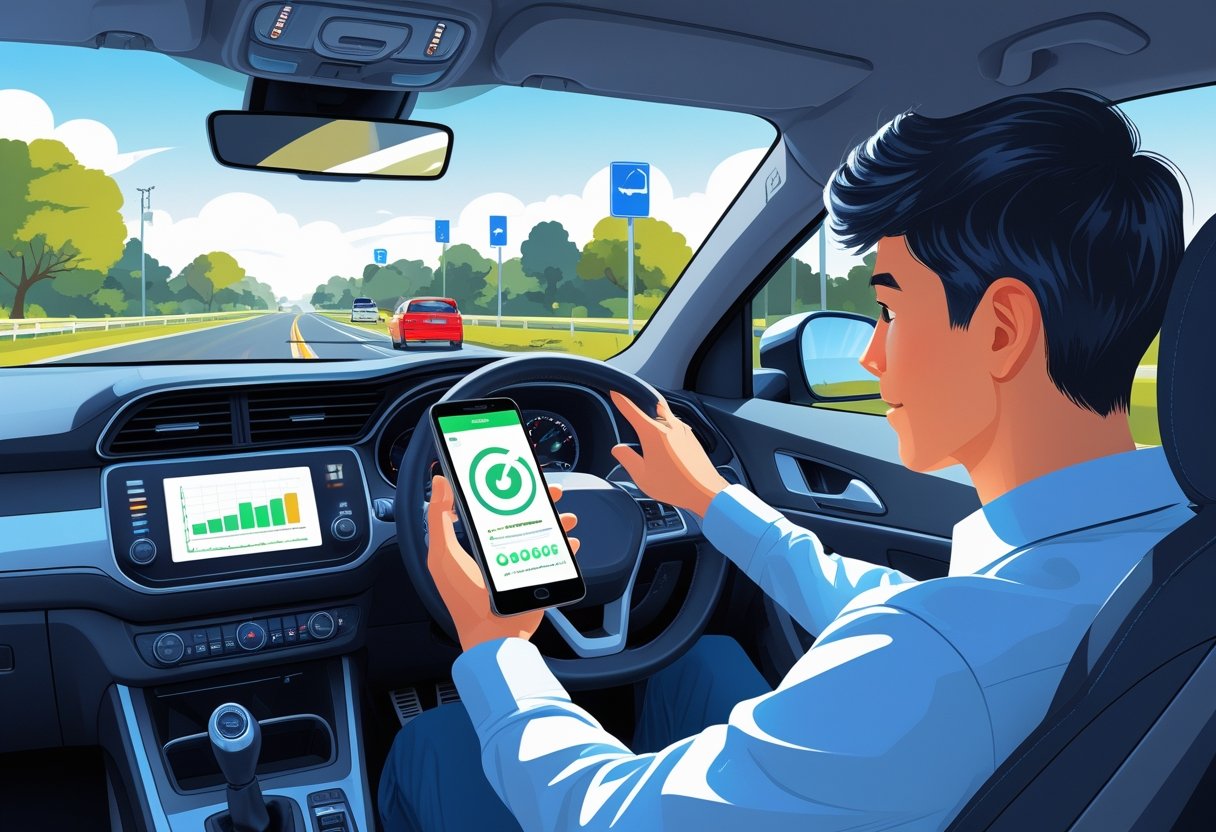
When you track your progress as a learner driver, you build motivation and spot exactly where you need to improve. These insights help you learn faster and feel more confident behind the wheel.
Motivation and Confidence
Tracking your driving progress gives you something powerful: proof of how far you’ve come. We often forget the small victories when we’re focused on what we still need to learn.
When you record each successful parallel park or smooth hill start, you create a visual record of your achievements. This becomes especially important during tough lessons when nothing seems to go right.
Your driving instructor might remember your general progress, but the app remembers everything. It shows you completed manoeuvres, improved mirror checks, and better clutch control from weeks ago.
Progress tracking works like a confidence boost. On days when you feel stuck, you can look back at your recorded improvements. You’ll see that three weeks ago, you struggled with roundabouts, but now you handle them well.
Many learner drivers give up because they can’t see their progress. The improvements happen gradually, making them hard to notice day by day. An app captures these small steps forward.
Identifying Strengths and Weaknesses
Apps help you spot patterns in your driving that you might miss otherwise. When you track your progress regularly, weak areas become obvious quickly.
Maybe you notice you always struggle with reversing manoeuvres but excel at motorway driving. This information helps you and your driving instructor plan better lessons.
Your tracking data shows which skills need more practice time. Instead of guessing, you have clear evidence about where to focus your efforts.
Some learner drivers spend too much time practising skills they’ve already mastered. Progress tracking prevents this waste of time and money. You can see which areas truly need work.
The data doesn’t lie. You might think your parking is terrible, but your app might show you’ve improved steadily over the past month. Or you might feel confident about your gear changes, but the tracking reveals you still make frequent errors.
This honest feedback helps you prepare better for your practical test. You’ll know exactly which skills need extra attention before the big day.
Getting Started with Learner-Driver Apps
The first steps involve picking the perfect app for your needs, creating a detailed profile that reflects your current abilities, and establishing a connection with your driving instructor for seamless progress tracking.
Choosing the Right App
Finding the right app can make all the difference in your learning journey. We recommend looking for apps that combine both theory and practical elements rather than focusing on just one area.
Popular apps worth considering:
- FourFive: Offers free masterclasses and lesson recording features
- miDrive: Tracks your route, distance, and speed automatically
- Learner Driver Starter Kit: Provides step-by-step guidance from provisional licence application to test booking
- Young Driver App: Features interactive content and a personal Drive Diary
Look for apps that offer progress tracking capabilities. The best ones let you record detailed information about your skills in areas like manoeuvres, mirror use, and moving off safely.
Check if the app includes theory test practice questions. This saves you from downloading multiple apps and keeps everything in one place.
Key features to prioritise:
- Lesson scheduling and reminders
- Progress tracking with detailed skill breakdowns
- Theory test preparation materials
- Video tutorials and expert guidance
Read reviews from other learner drivers before making your choice. Their experiences can help you avoid apps that promise more than they deliver.
Setting Up Your Profile
Creating a thorough profile helps the app provide personalised guidance tailored to your current skill level. Start by entering basic information like your name, contact details, and provisional licence number.
Be honest about your experience level when filling out initial assessments. This helps the app suggest appropriate practice materials and realistic goals for your progress.
Essential profile information includes:
- Current driving skills and confidence levels
- Areas where you need extra practice
- Your target test date
- Preferred learning pace
Many apps ask about your learning goals during setup. Set specific, achievable targets like mastering parallel parking or improving mirror checks within two weeks.
Upload a photo to personalise your experience. Some apps use profile pictures in progress reports that you can share with your instructor.
Take time to explore the settings menu after initial setup. Adjust notification preferences so you receive helpful reminders without feeling overwhelmed by constant alerts.
Connecting with Your Driving Instructor
Most quality apps allow you to connect directly with your driving instructor for shared progress tracking. This creates a seamless flow of information between lessons and independent practice.
Ask your instructor if they use any specific apps for tracking learner progress. Many professionals prefer ADI Network or similar platforms designed specifically for instructors.
Benefits of instructor connection:
- Real-time progress updates after each lesson
- Shared notes about areas needing improvement
- Coordinated practice recommendations
- Easy lesson scheduling and rescheduling
Share your app login details or invite your instructor through the app’s built-in sharing features. This gives them access to update your progress after each lesson.
Some instructors prefer to maintain their own records while viewing your self-assessment data. Discuss which approach works best for both of you during your first lesson.
Keep your instructor informed about skills you practice independently using the app. This prevents lesson time being wasted on areas you’ve already mastered and focuses attention where you need it most.
Key Features of Progress Tracking Apps
Progress tracking apps come packed with features that make monitoring your driving journey straightforward and motivating. The best apps focus on three core areas: recording your actual driving time, tracking specific skills like manoeuvres, and showing your improvement through clear visual feedback.
Logging Driving Sessions
Recording your practice sessions helps you see exactly how much time you’re spending behind the wheel. Most apps let you log the date, duration, and type of each session with just a few taps.
You can track different types of practice too. Whether it’s motorway driving, quiet residential streets, or busy town centres, good apps categorise your sessions properly.
What to track in each session:
- Start and end times
- Weather conditions
- Road types covered
- Areas of focus
- Any challenges faced
Some apps even use GPS to map your routes automatically. This shows you which areas you’ve practiced in and which ones you might want to revisit.
The data builds up over time to show your commitment. Many learners are surprised to discover they’ve actually done more practice than they thought!
Recording Manoeuvres and Skills
Tracking specific driving skills gives you a clear picture of what you’ve mastered and what needs work. The best apps break down driving into individual skills, just like an examiner would during your test.
Core skills most apps track:
- Manoeuvres: Parallel parking, bay parking, three-point turns
- Observations: Mirror checks, blind spot awareness
- Vehicle control: Steering smoothness, clutch control
- Road positioning: Lane discipline, following distance
Many apps use a simple rating system. You might rate each skill from 1 to 5, or mark it as “needs work,” “developing,” or “confident.”
Your instructor can update these ratings after each lesson. This creates a shared record that you both can reference.
Some apps even include mock test features. These simulate the actual driving test format, helping you identify which skills need extra attention before your big day.
Progress Statistics and Visual Feedback
Numbers and charts transform your raw practice data into meaningful insights. Visual progress tracking keeps you motivated by showing clear evidence of your improvement over time.
Common visual elements include:
- Progress bars for each driving skill
- Charts showing hours practiced per week
- Achievement badges for milestones reached
- Colour-coded skill assessments
The best apps display your progress in simple, encouraging ways. Green bars might show skills you’ve mastered, whilst amber ones highlight areas for improvement.
Many apps generate progress reports you can share with your instructor or parents. These summaries show your strengths and identify focus areas for upcoming lessons.
Weekly or monthly statistics help you spot patterns. Perhaps you practice more effectively in certain weather conditions, or specific manoeuvres click better after multiple attempts.
Some apps even predict your test readiness based on your logged skills and practice time. Whilst this shouldn’t replace professional instructor guidance, it gives you an extra confidence boost when the numbers look positive.
Using Apps to Prepare for Your Driving Test
Apps can transform how you prepare for both theory and practical tests by providing structured practice sessions and real-time feedback on your performance. The best preparation apps offer comprehensive question banks, hazard perception training, and intelligent systems that tell you when you’re ready to book your actual driving test.
Practice Theory and Hazard Perception
We’ve found that the most effective apps combine official DVSA questions with interactive hazard perception clips. The Official DVSA Theory Test Kit includes 700 genuine questions straight from the test creators themselves. This gives you authentic practice that mirrors what you’ll face on test day.
Key features to look for include:
- Official DVSA question bank
- CGI hazard perception videos (34 clips minimum)
- Timed practice sessions
- Road sign recognition tests
Many apps now offer offline access once you’ve registered. This means you can practise during your commute or whenever you have spare moments. The AA Driving Theory App and RoadHow both provide this flexibility.
Mock tests under timed conditions help you get used to exam pressure. We recommend taking several full-length practice tests before booking your real theory test. This builds confidence and helps identify any weak spots in your knowledge.
Reviewing Mock Test Performance
Your mock test results tell an important story about your readiness. Most quality apps break down your performance by topic area, showing exactly where you need more work.
Look for apps that provide detailed statistics on:
- Correct answer percentages by category
- Time spent per question
- Frequently missed topics
- Improvement trends over time
The Driving Theory Test 4 in 1 Kit tracks your progress across multiple attempts. This lets you see if you’re consistently improving or if certain areas keep tripping you up.
Apps with flashcard features help you focus on problem areas. You can save questions you got wrong and revisit them during quick revision sessions. This targeted approach is much more efficient than starting from scratch each time.
Some apps let you create custom tests focusing on your weakest subjects. If you struggle with stopping distances or traffic signs, you can build practice sessions around these specific topics.
Test Readiness Alerts and Feedback
Smart apps use your practice data to predict when you’re ready to pass your test. The Official DVSA app includes a “test readiness gauge” that analyses your performance patterns and suggests the best time to book.
Most apps consider these factors:
- Consistent high scores (usually 85% or above)
- Steady performance across all topic areas
- Reduced time per question
- Fewer repeated mistakes
We’ve seen that learners who wait for these readiness signals have much higher first-time pass rates. It’s tempting to book early, but apps can save you money by preventing premature test attempts.
Some apps send personalised study recommendations based on your progress. RoadHow provides tips on improving weak areas and suggests how many more practice sessions you might need.
The Learn To Drive App offers targeted remediation if you’ve previously failed a test. It helps you focus on the specific areas that caused problems, rather than general revision.
Maximising Results with Your Driving Instructor
Working closely with your driving instructor turns your learner-driver app into a powerful tool for faster progress. When you share digital records and set clear goals together, lessons become more focused and productive.
Sharing Progress with Your Instructor
Your app data becomes most valuable when your driving instructor can see exactly where you stand. Many instructors now use their own tracking software, but sharing your personal progress helps create a complete picture.
Show your completed practice sessions before each lesson starts. This gives your instructor insight into what you’ve been working on between meetings.
Print out or screenshot your progress summaries from the app. Many instructors appreciate having a quick visual reference during lessons.
Discuss specific skills that the app flagged as needing work. We find that students who point out their weak areas get more targeted help.
Some popular instructor apps can sync with learner apps. Ask your driving instructor if they use software that connects with your chosen app.
Key benefits of sharing app data:
- Lessons focus on your actual problem areas
- No time wasted repeating skills you’ve mastered
- Better preparation for your driving test
- Clear evidence of your improvement over time
Be honest about struggles the app has identified. Your instructor can’t help fix problems they don’t know about.
Setting Learning Goals Together
Your app works best when you and your instructor agree on specific targets. Vague goals like “get better at roundabouts” won’t push your progress forward effectively.
Set measurable milestones using your app’s skill tracking features. For example, aim to complete three successful parallel parking attempts in the app before your next lesson.
Break down complex driving skills into smaller chunks. Most apps track around 24 to 27 different driving skills, making it easy to focus on just two or three at a time.
Plan your lesson schedule around app achievements. Book your next lesson after you’ve practiced specific skills digitally.
Review your app’s weak areas together during lessons. Many instructors find this helps them plan better routes and exercises for future sessions.
Use the app’s reminder features to stay on track with agreed goals. Set notifications that match what you and your instructor decided during your last meeting.
Track both technical skills and confidence levels. The best results happen when you and your instructor monitor how comfortable you feel, not just how well you perform specific manoeuvres.
Making the Most of Practice and Extra Tools
Learning apps offer powerful ways to record your independent practice sessions and reflect on your driving development. These features help you build confidence whilst creating a complete picture of your learning journey.
Tracking Independent Practice Sessions
Recording your practice drives outside formal lessons gives you valuable insights into your progress. Many learner driver apps let you log details about each session, including what you practised and how it went.
Keep detailed records of your independent practice sessions. Note down specific skills you worked on, such as parallel parking or roundabouts. Record the weather conditions, traffic levels, and any challenges you faced.
Most apps allow you to:
- Log practice hours and locations
- Rate your confidence levels
- Note areas that need more work
- Track improvements over time
This information becomes incredibly useful when you meet with your instructor. You can share exactly what you’ve been practising and discuss any concerns that came up during your solo drives.
Set specific goals for each practice session before you start. This focused approach helps you make better use of your time and gives you clear targets to track your progress against.
Reflecting on Your Driving Journey
Taking time to reflect on your experiences helps you understand your strengths and identify areas for improvement. Many apps include features that encourage this thoughtful approach to learning.
Use digital logbooks to record your thoughts and feelings after each drive. Write about moments when you felt confident and situations that made you nervous. This honest reflection helps you process your experiences.
Some apps offer mood tracking or confidence ratings that you can update after each session. These simple tools create a visual record of your emotional journey as a learner driver.
Look back at your early entries regularly to see how far you’ve come. Seeing your progress mapped out over weeks and months provides real motivation when you’re feeling stuck or frustrated.
Review patterns in your practice sessions. If you notice certain skills consistently cause anxiety, you can focus extra attention on those areas during your next professional lesson.
Frequently Asked Questions
These common questions help you make smart choices about which driving app suits your needs and how to get the most from progress tracking features.
What features should I look for in a driving progress app to ensure it covers all my learning needs?
We recommend looking for apps that track both your practical lessons and private practice sessions. The best apps let you record different road types, weather conditions, and specific skills you’ve worked on.
Look for features like lesson tracking, manoeuvre practice guides, and theory test revision. Some apps offer masterclass videos from qualified instructors, which can be brilliant for understanding tricky concepts.
Make sure the app includes “Show Me, Tell Me” questions for your practical test preparation. Many learners forget about this part until it’s too late.
Check if the app helps you identify gaps in your learning. Good apps will highlight areas where you need more practice before booking your test.
Could you guide me through the process of logging driving hours using an app?
Most apps make logging hours simple with just a few taps on your phone. Before each lesson or practice session, open your chosen app and select “Start Session” or similar.
Enter basic details like whether it’s a lesson with your instructor or private practice. Many apps automatically track your route and distance using GPS.
After your session, add notes about what you practised and how it went. Include details like motorway driving, roundabouts, or parallel parking attempts.
Don’t forget to log the weather conditions and time of day. These details help you spot patterns in your learning and identify when you need more practice.
How can I effectively leverage the feedback and analytics from a driving app to improve my driving skills?
Review your progress regularly, ideally after every few lessons. Look for patterns in your data to see which skills need more attention.
Use the analytics to plan your next lessons with your instructor. If the app shows you haven’t practised enough night driving or dual carriageways, bring this up in your next session.
Pay attention to your weak spots highlighted by the app’s feedback. Many learners are surprised to discover they’ve avoided certain types of junctions or driving conditions.
Set small, achievable targets based on what the data tells you. If you’ve only driven in dry weather, make it a goal to get experience in light rain.
Are there any driving apps that allow my instructor to add comments and track my progress remotely?
Several apps offer instructor access features that let your driving teacher monitor your progress between lessons. These typically require your instructor to have the professional version of the app.
Your instructor can add detailed comments about each lesson, noting areas for improvement and celebrating your successes. This creates a complete picture of your learning journey.
Some instructor-enabled apps let your teacher set homework tasks or suggest specific practice areas. This keeps your learning focused and efficient.
Ask your instructor if they use any particular app system. Many driving schools are adopting digital progress tracking to give better service to their pupils.
Could you recommend strategies for setting achievable goals within a learner driver app to keep me motivated?
Start with small, weekly goals rather than big, overwhelming targets. Aim for things like “complete three theory practice sessions this week” or “log two hours of private practice.”
Use the app’s achievement system if it has one. These digital badges might seem silly, but they genuinely help maintain motivation during tough patches in your learning.
Set goals based on your individual progress data. If the app shows you’re weak on roundabouts, make “practice five different roundabouts” your next goal.
Celebrate small wins by tracking them in the app. Every successful manoeuvre or theory mock test pass is worth recording and acknowledging.
What’s the best way to incorporate the use of a driving app into practical driving sessions for maximum benefit?
Brief your instructor about which app you’re using and ask them to help you log details during lessons. Most instructors are happy to support digital learning tools.
Use quiet moments during lessons to quickly update your progress. Traffic lights or waiting periods are perfect for adding quick notes about what you’ve just practised.
Review your app data before each lesson and discuss it with your instructor. This helps plan the session around areas where you need the most work.
Take photos of tricky junctions or parking spots using the app’s camera feature. You can review these later and even practise the approaches mentally before your next visit.
Ready to pass in weeks, not months?
LPOD Academy runs tailored intensive driving courses from 10 to 50 hours across most of the UK, with your theory and practical test support included.
Ready to Book Driving Lessons?
LPOD Academy offers intensive driving courses across the UK. Find your nearest location: